Your GPT Assistant, Anytime
Access GPT answers faster and more comfortably
than before
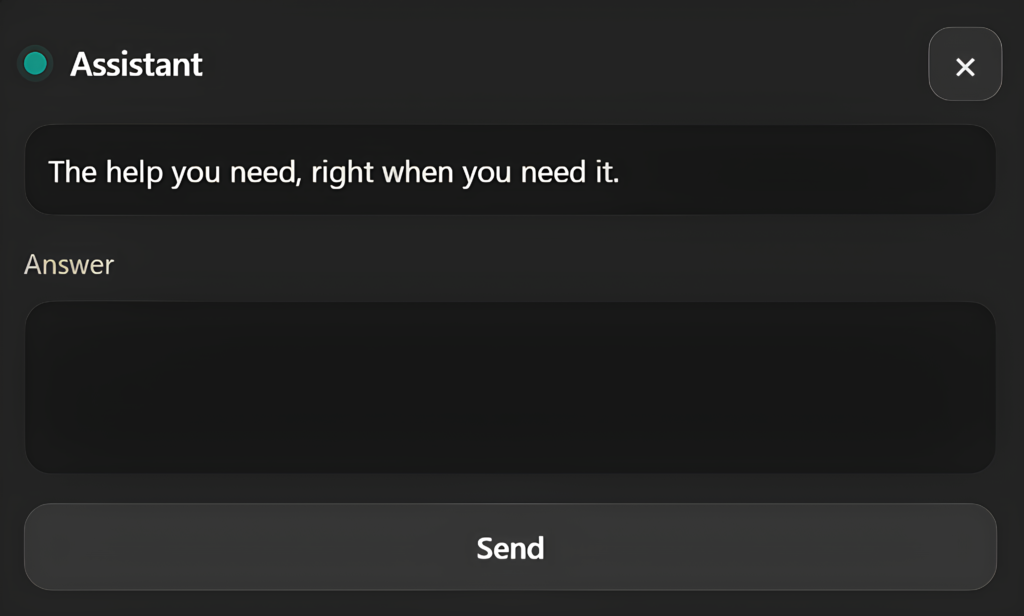
AskGPT works directly on the page you’re reading.
Simply select any text on a webpage and send it instantly to GPT
— no tab switching, no copy-paste required.
Even faster interactions
Auto mode makes AskGPT even faster.
Just select the text you need.
AskGPT sends it automatically.
No “Send” button.
Zero clicks.
Instant answers.
Frequently Asked Questions
How does Ask GPT work?
Ask GPT works instantly after you sign in with your Google account.
Once logged in, you automatically gain access to Ask GPT along with the credits associated with your account
— no extra setup required.
What are credits?
Credits are used to run your AI requests in Ask GPT.
Each query consumes a small number of credits depending on how long or complex your request is.
Short questions use fewer credits, while larger prompts may use slightly more.
How do I turn Ask GPT on or off?
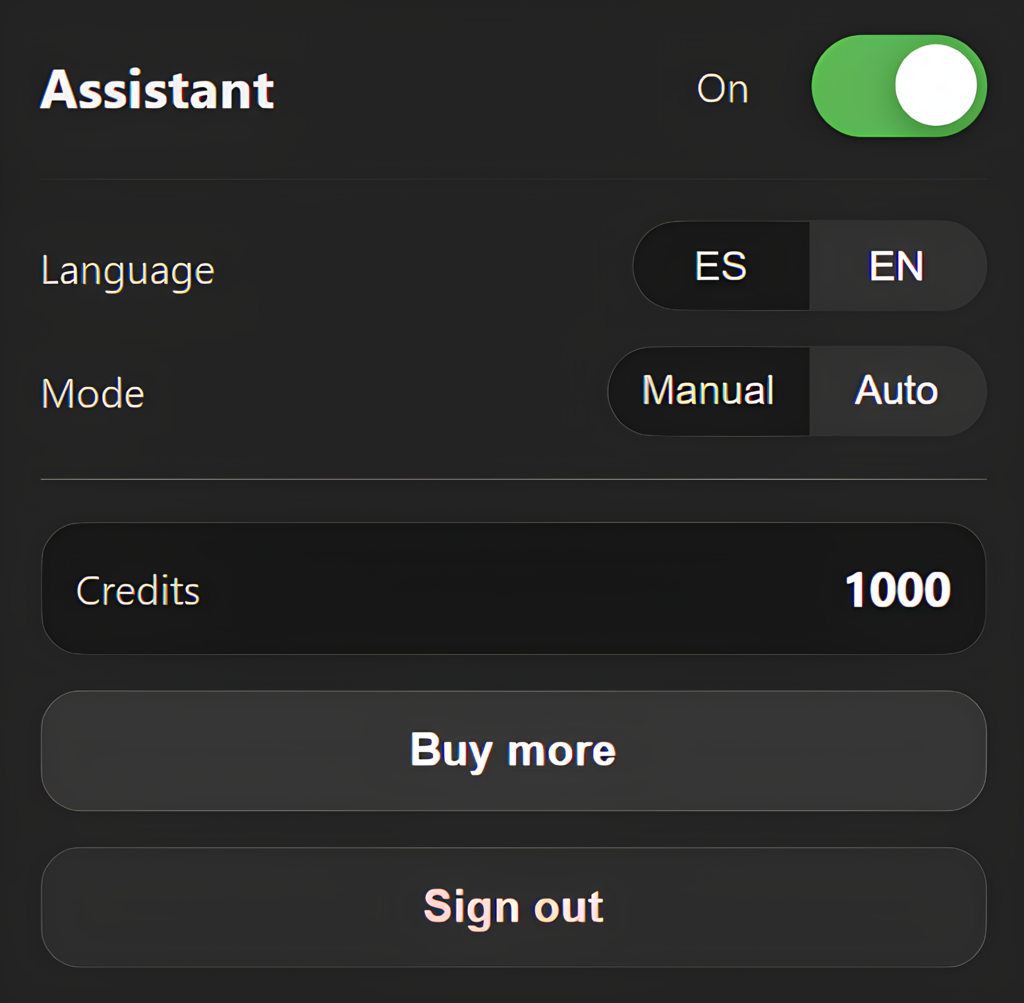
You can easily enable or disable Ask GPT anytime:
Click the Ask GPT extension icon
Press the green toggle button
That’s it — Ask GPT will instantly activate or pause.
How can I see my remaining credits?
To view your total available credits:
Click the Ask GPT extension icon
Your current credit balance will be displayed inside the panel
What is Manual Mode in Ask GPT?
In Manual Mode:
• You select any text on a webpage
• The selected text appears in the Ask GPT input box
• Click Send to submit your prompt
• Ask GPT returns a response based on what you sent
This mode gives you full control over what you ask.
What is Auto Mode in Ask GPT?
In Auto Mode:
• You simply select text on a webpage
• The prompt is sent automatically
• Ask GPT instantly returns a response
No need to click Send — everything happens instantly.
How can I get more credits?
To purchase more credits:
Click the Ask GPT extension icon
Select Buy More
Choose a credit package and complete your purchase
Your credits will be added instantly to your account.
Is Ask GPT still in an early version?
Yes — Ask GPT is currently in its first version and is designed to handle simple and practical tasks.
We are actively working on future updates to improve performance, add new features, and expand its capabilities over time.